-1400x274.png)









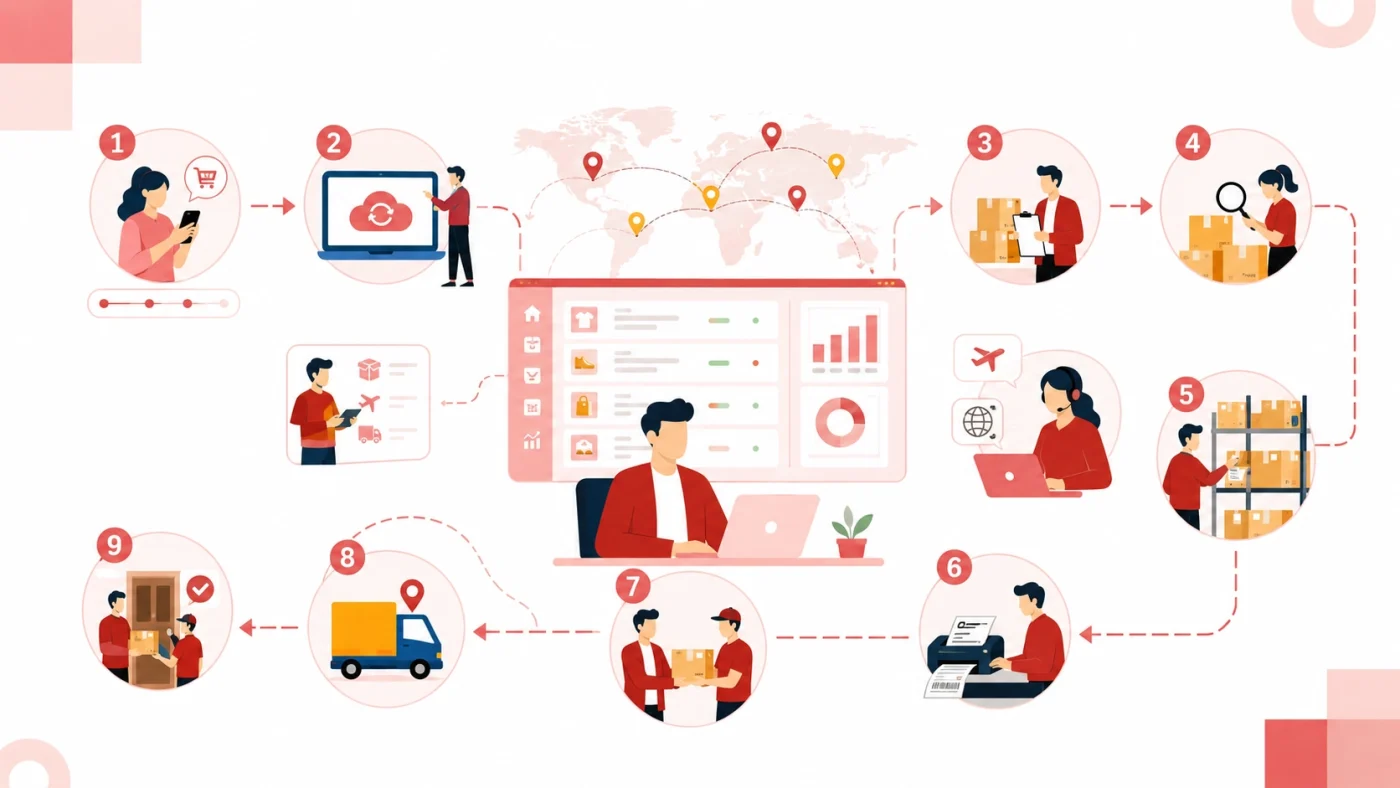
A Shopify order can look simple on the storefront: a customer pays, receives a confirmation, and waits for a parcel. Behind that purchase is a chain of operational handoffs. Order data must sync correctly, the product must be allocated or purchased, quality must be checked, the correct SKU must be picked, packaging and labels must match the order, tracking must return to Shopify, and exceptions must be handled before they become customer complaints.
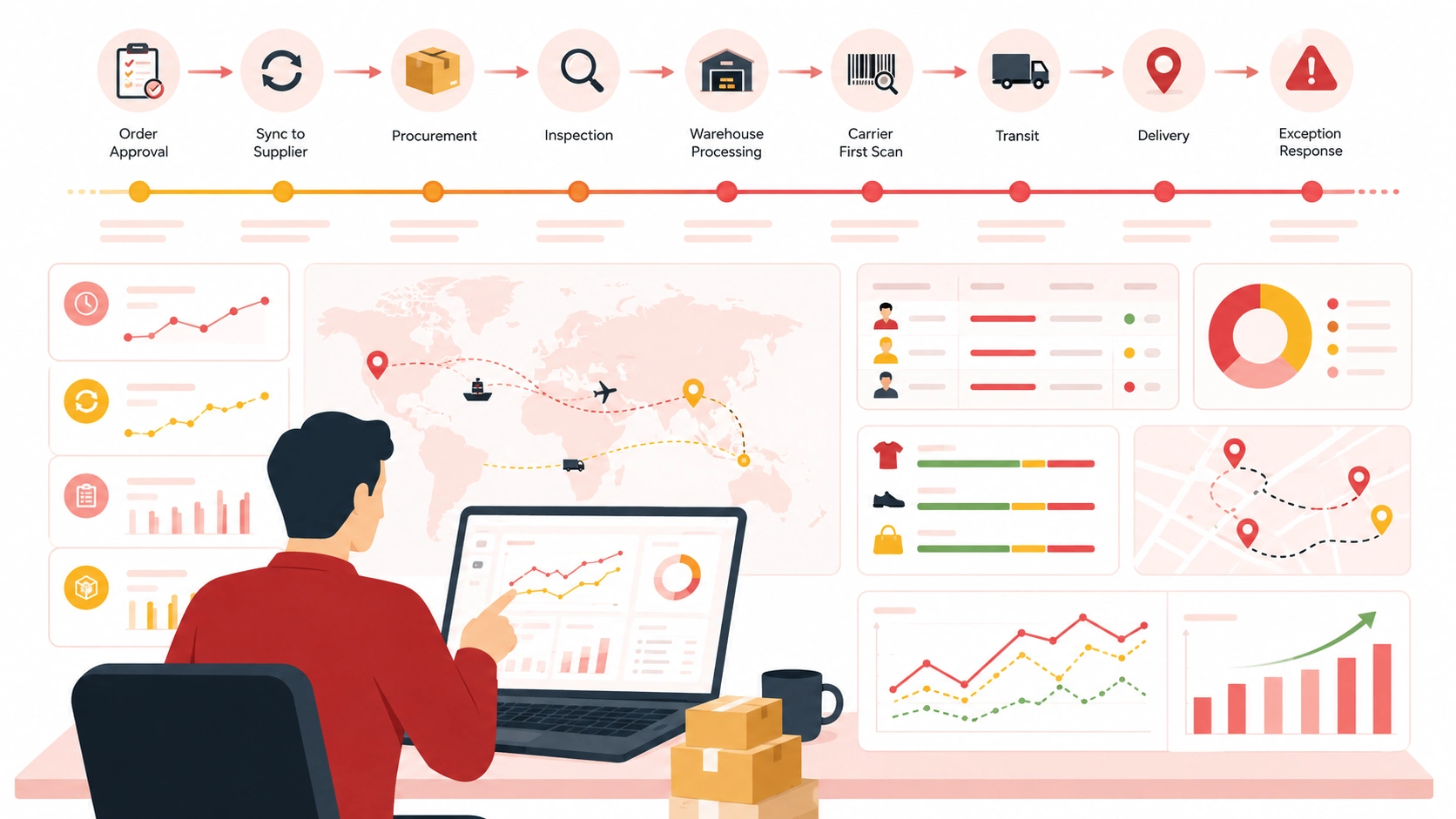
This guide explains the Shopify order fulfillment process as an order timeline. Each stage shows what happens, who is responsible, what evidence should be recorded, and where delays commonly begin. It is written for dropshipping stores that work with suppliers, agents, or external warehouses and need a process that remains clear as order volume grows.
How the Shopify Order Fulfillment Process Actually Works
The workflow begins when a customer completes checkout, but fulfillment does not begin with packing. It begins with clean order data and a clear decision about who owns the next action.
A practical timeline looks like this:
|
Stage |
Primary Owner |
Main Action |
Required Output |
|
1. Order created |
Shopify store |
Capture order and payment details |
Valid order ready for review |
|
2. Order reviewed |
Store owner or automated rules |
Check payment, address, SKU, notes, and risk |
Approved, held, or corrected order |
|
3. Order synced |
Shopify app or fulfillment system |
Transfer order data to the operating team |
Confirmed order record |
|
4. Product allocated |
Supplier, agent, or warehouse |
Reserve stock or purchase the item |
Product available |
|
5. Product checked |
Agent or quality team |
Verify item, variant, condition, and requirements |
Passed item or exception report |
|
6. Picked and packed |
Warehouse |
Pick the correct SKU and prepare the parcel |
Shipment-ready package |
|
7. Labeled and dispatched |
Shipping team and carrier |
Select a route and hand over the parcel |
Carrier acceptance and tracking |
|
8. Tracked and delivered |
Carrier, partner, and store support |
Monitor movement and resolve exceptions |
Delivery or documented resolution |
The exact software can vary, but the responsibility cannot be vague. Every order should always have a current owner, a visible status, and a defined next action.
Before the First Order: Build the Workflow Backward
The best time to fix fulfillment is before a customer places an order.
Start from the delivery promise shown on the product page and work backward. If the expected customer experience is ten days, decide how much time can be used for review, procurement, inspection, packing, carrier handoff, international transit, and final-mile delivery.
A promise based only on carrier transit becomes unreliable when the product still needs to be purchased from a factory.
Before launch, define:
- Which products are stocked and which are purchased after an order arrives
- The daily cutoff and operating time zone
- The system used to transfer orders
- The SKU and variant mapping standard
- The address format required by each route
- The quality checks required by product
- The packaging assigned to each SKU
- The approved shipping methods by destination
- The situations that place an order on hold
- The people allowed to approve substitutions, refunds, or reshipments
This preparation separates a real Shopify order processing workflow from a collection of people reacting to messages.
Step 1: A New Shopify Order Is Created and Reviewed
Primary owner: Shopify store and merchant operations
When the customer completes checkout, Shopify creates the order record. Before sending it to a supplier, review:
- Payment status
- Customer name and contact information
- Shipping address and postal code
- Product, SKU, variant, and quantity
- Shipping method selected at checkout
- Customer notes or personalization
- Duplicate orders
- Fraud or risk signals
- Products assigned to different fulfillment locations
The stage should end with one of three outcomes:
- Approved:the order can enter fulfillment.
- Held:payment, address, stock, or risk needs attention.
- Corrected:an authorized change has been made before fulfillment starts.
The store owner is responsible for deciding when an order is commercially valid. A warehouse should not be expected to interpret suspicious payments, rewrite customer instructions, or guess which address is correct.
This distinction becomes especially important when customers request an address change shortly after ordering. The store needs a clear cutoff for changes and a visible hold status that prevents the warehouse from packing the old order while customer support is still editing it.
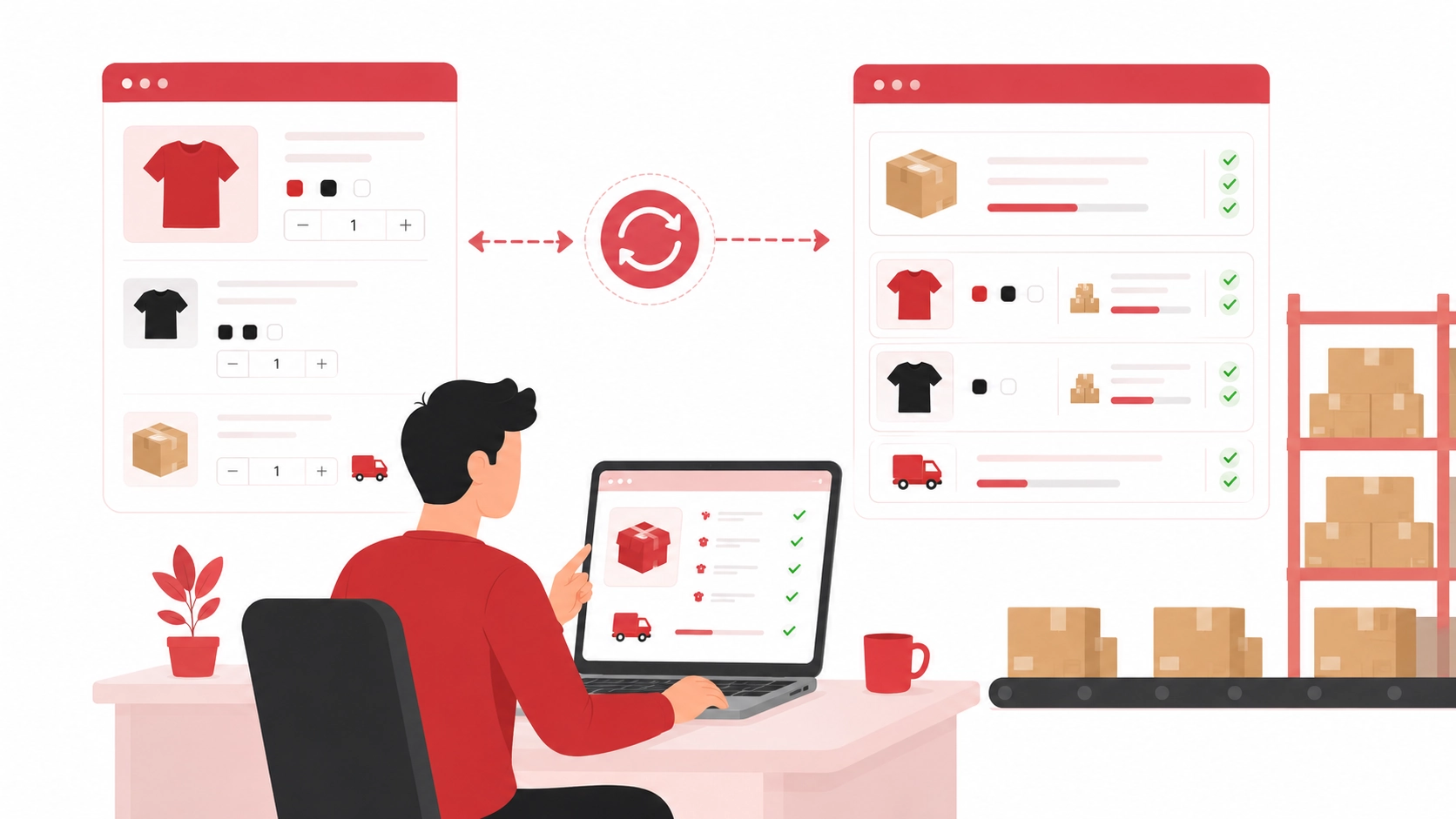
Step 2: The Order Syncs to the Fulfillment System
Primary owner: integration, app, or fulfillment operations team
After approval, the order must reach the system or person that will fulfill it. This may happen through:
- A Shopify fulfillment app
- An API or ERP connection
- A warehouse management system
- A CSV upload
- A shared order sheet
- Manual order submission
The transfer should include:
- Shopify order number
- Customer and address data
- SKU and variant
- Quantity
- Product customization
- Packaging requirement
- Shipping method
- Store or brand identifier
- Internal notes
- Customs information where required
The most dangerous sync error is not always a failed order. A failure is usually visible. A more serious error is an order that appears to sync but contains the wrong SKU, an old address, a missing variant, or a duplicate record.
Use one unique Shopify order number across every system. Test each important SKU before launch, then repeat the tests whenever products, variants, bundles, apps, or warehouse systems change.
A reliable Shopify fulfillment service should make the handoff visible: the store can confirm that an order was received, the fulfillment team can confirm exactly what it received, and both sides can identify records that failed to transfer.
This step ends only when the operating system has created the correct order and assigned the next action.
“Sent” is not the same as “received and validated.”
Step 3: Stock Is Allocated or the Product Is Purchased
Primary owner: supplier, dropshipping agent, or inventory team
This stage separates stocked fulfillment from purchase-on-demand dropshipping.
For stocked products, the system should reserve the correct quantity at the correct location.
For products that are not pre-stocked, the supplier or agent must:
- Confirm current availability
- Confirm the latest product cost
- Purchase the item
- Arrange domestic transportation
- Provide an expected warehouse arrival date
The order record should show:
- Confirmed supplier
- Stock or purchasing status
- Current cost
- Expected warehouse arrival
- Replenishment issue, if any
- Substitution restrictions
Do not use “processing” as a catch-all status.
A product waiting for a factory purchase is different from a product already sitting in the warehouse. The customer may not see the difference, but the operations team needs to know where the waiting time is occurring.
When several suppliers or changing quotations are involved, dropshipping agent support can coordinate purchasing, inventory confirmation, supplier communication, and warehouse arrival instead of leaving the merchant to chase every source separately.
If a product becomes unavailable, the agent should not make an unapproved substitution.
The correct process is to:
- Place the order on hold
- Explain the reason
- Present the available alternatives
- Show any price difference
- Provide the revised processing time
The merchant or an authorized rule should decide whether to wait, substitute, split, or refund the order.
Step 4: The Product Arrives and Passes Quality Control
Primary owner: receiving and quality inspection team
For purchase-on-demand orders, the item usually reaches a warehouse before it can be packed for the customer.
Receiving confirms that the supplier sent:
- The expected quantity
- The correct SKU
- The correct color or size
- All required components
- The agreed packaging
Quality control then determines whether the unit is suitable for shipment.
A basic inspection may cover:
- Correct product and variant
- Visible scratches, stains, or damage
- Color and size
- Included accessories
- Packaging condition
- Supplier invoices or promotional materials
- Store-specific packaging requirements
Higher-risk products may need:
- Measurements
- Function testing
- Seal checks
- Assembly checks
- Photo evidence
- Batch sampling
- Product-specific defect checks
The inspection level should be decided before orders begin, not improvised after complaints appear.
If a product fails, give the order a visible exception status. Record the defect, attach evidence, identify whether replacement stock is available, and provide a new expected completion time.
Quality control then determines whether the unit is suitable for shipment. For products requiring additional checks, our quality inspection service can help verify agreed product and packaging requirements before fulfillment.

Step 5: The Correct SKU Is Picked and Packed
Primary owner: warehouse fulfillment team
Once the product is available and approved, the warehouse can pick it for the order.
The picker should work from:
- A controlled SKU location
- A barcode
- A digital picking task
- A printed pick list
- A warehouse management system
Product titles alone are weak identifiers because similar variants can have nearly identical names.
For example, a warehouse may handle several versions of the same product with different plugs, colors, sizes, accessories, or packaging. A clear SKU mapping system prevents workers from making decisions based only on a product photo.
Bundles also need a defined component list. The warehouse must know exactly which products and quantities belong in each set.
During packing, confirm:
- Product and quantity
- Variant
- Customer-specific options
- Included accessories
- Neutral or branded packaging
- Inserts, labels, or thank-you cards
- Protection for fragile products
- Parcel weight and dimensions
- Absence of supplier invoices
Packaging instructions should be attached to the SKU, store, or order in the operating system. The packer should not rely on memory.
Before sealing, compare the physical parcel with the order record. For higher-value or frequently disputed products, a barcode scan or packing photo can provide useful evidence.
Step 6: The Label Is Created and the Shipping Route Is Confirmed
Primary owner: warehouse shipping team or logistics coordinator
Before printing a label, validate:
- Customer name
- Address format
- Postal code
- Phone number
- Destination restrictions
- Parcel weight
- Parcel dimensions
- Product category
- Customs description
Shipping route selection should consider more than the lowest price.
The correct route depends on:
- Destination country and region
- Promised delivery range
- Tracking coverage
- Final-mile carrier
- Product restrictions
- Parcel size and volumetric weight
- Customs requirements
- Current route stability
- Lost or damaged parcel policy
A printed label does not prove that an order has shipped. It proves only that shipping data has been created.
The parcel has not truly left the fulfillment stage until it is handed to the carrier and receives a valid acceptance or movement scan.
Stores trying to reduce shipping time should measure procurement, inspection, and warehouse handling as well as carrier transit.
Saving time before dispatch can be more reliable than paying for a faster shipping line after an order has already waited several days in purchasing or inspection.
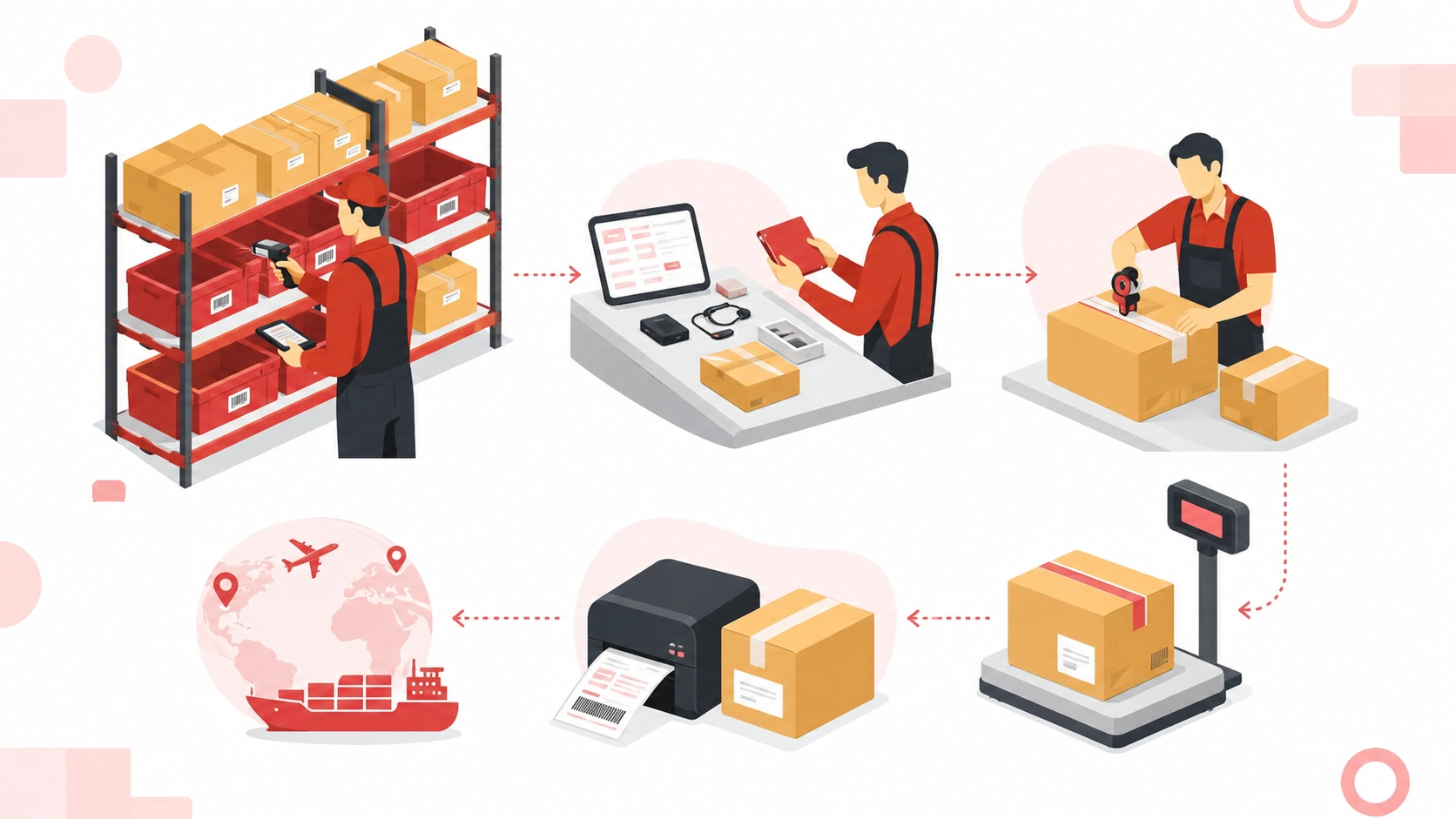
Step 7: The Parcel Leaves the Warehouse and Tracking Returns to Shopify
Primary owner: fulfillment partner, carrier, and system integration
After carrier handoff, the tracking number should return to the correct Shopify order.
The following information needs to agree:
- Shopify order number
- Tracking number
- Carrier name
- Fulfillment status
- Tracking link
- Customer notification
A clean tracking handoff answers four questions:
- Was the number attached to the correct order?
- Does the carrier recognize it?
- Has the parcel received an acceptance or movement scan?
- Can the customer access the tracking information?
Measure the time between label creation and the first carrier scan.
A large gap can mean:
- Parcels are waiting for pickup
- A shipping manifest was created early
- The carrier has not scanned the parcel
- The route has not entered the main transportation network
- Tracking information was uploaded too soon
Do not treat every uploaded tracking number as successful dispatch.
Create a report for labels without a first scan and assign someone to investigate them before customers begin asking for updates.
Split shipments require extra care. If products are fulfilled from different locations or become ready at different times, each package needs its own tracking record. The customer should also receive a clear explanation that the order will arrive separately.
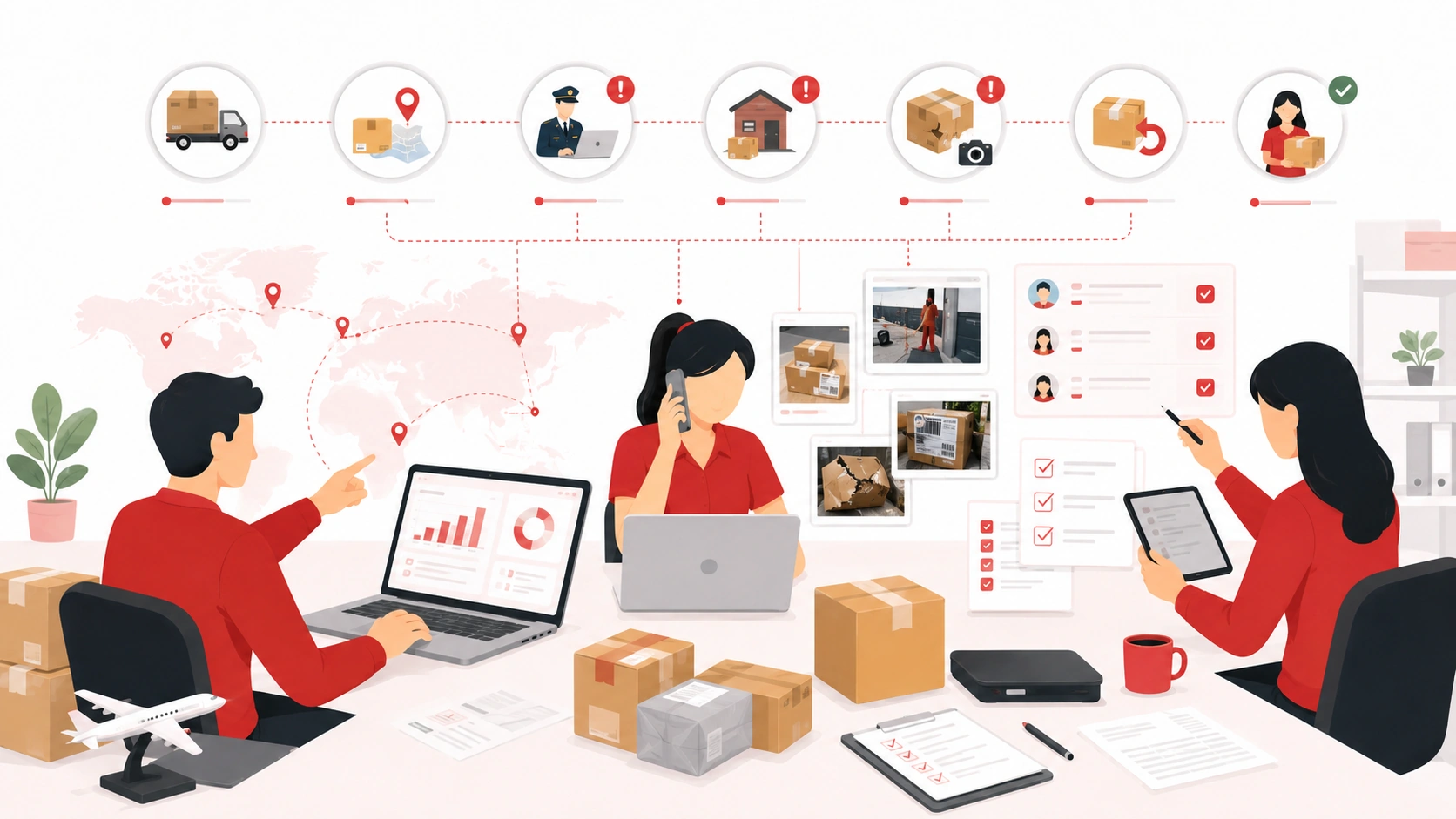
Step 8: Delivery Is Monitored and Exceptions Are Resolved
Primary owner: carrier for transportation; fulfillment partner and store support for resolution
Shopify dropshipping fulfillment is not finished simply because tracking exists.
Monitor for:
- No first scan
- Repeated tracking status without movement
- Customs hold
- Failed delivery
- Incorrect or incomplete address
- Return to sender
- Damaged parcel
- Delivered status disputed by the customer
- Partial delivery
- Lost parcel
The carrier controls physical transportation, but the store still owns the customer relationship.
The fulfillment partner should provide operational evidence and communicate with the carrier. The store decides how to update the customer and which commercial solution to offer.
Create an exception matrix before problems happen. For each event, define:
- When the case is opened
- Who investigates
- What evidence is required
- How often the merchant receives an update
- When a replacement can be approved
- Who pays for reshipping
- When a refund should be considered
- How returned inventory will be handled
A vague promise to “check with logistics” is not a process.
Every unresolved order needs:
- A named owner
- A current status
- A next review time
- A decision deadline
Where Shopify Dropshipping Fulfillment Usually Breaks
Most delays begin before the customer notices them.
The Order Synced, but the SKU Did Not
The store and warehouse use different variant names or outdated product mappings.
Control this with a master SKU list, test orders, and alerts for unmapped products.
Stock Was “Available,” but Not Ready
A supplier described factory availability as warehouse stock.
Separate the following statuses:
- Reserved stock
- Purchased stock
- Inbound stock
- Received stock
- Inspected stock
- Pickable stock
The Product Waited for Inspection
Quality checks were promised, but no queue time or inspection capacity was defined.
Set a normal inspection window and use a separate defect-hold status for products that fail.
The Label Existed, but the Parcel Did Not Move
Tracking was uploaded when the label was printed rather than when the carrier accepted the parcel.
Monitor labels that have not received a first carrier scan.
A Customer Change Arrived Too Late
The store accepted an address or product edit after picking had already begun.
Define an edit cutoff and a cancellation-request process.
The Exception Had No Owner
The warehouse blamed the supplier, the supplier blamed the carrier, and customer support waited.
Assign one case owner with a deadline and the authority to escalate.
Measure Each Part of the Timeline
A single delivery-time average hides the source of delays.
Track these stages separately:
- Order approval time:order created to approved
- Sync time:approved to confirmed in the fulfillment system
- Procurement time:purchase request to warehouse receipt
- Inspection time:receipt to quality pass
- Warehouse processing time:quality pass to packed
- Carrier handoff time:label creation to first scan
- Transit time:first scan to delivery
- Exception response time:alert created to first meaningful action
- Fulfillment accuracy:correct product, quantity, and packaging
- Tracking validity:tracking numbers that receive a carrier event
Review the data by:
- SKU
- Supplier
- Warehouse
- Destination country
- Shipping route
- Product category
Store-wide averages can hide one product or country that creates most customer service work.
The goal is not to remove every delay. Customs, weather, peak seasons, and unsuccessful delivery attempts cannot always be controlled.
The goal is to identify avoidable waiting, expose it early, and give the responsible team a measurable next action.
Conclusion
A strong Shopify order fulfillment process is not one large automated action. It is a chain of small decisions that must remain accurate as the order moves from Shopify to a supplier, warehouse, carrier, and customer.
The store approves the order and owns the customer promise. The supplier or agent secures the product. The quality team confirms that it can be shipped. The warehouse picks, packs, labels, and hands it over. The carrier delivers it. When something breaks, the case must return to a named owner instead of disappearing between companies. Once every stage has a status, deadline, and responsible person, fulfillment becomes easier to manage, measure, and improve. That clarity is what turns a new Shopify order into a delivery experience customers can trust.
Need help managing the fulfillment process for your Shopify store? Explore Upedge’s Shopify fulfillment solutions to discuss order processing, inventory handling, packing, and shipping based on your business needs.
FAQs
Shopify records the order and customer details, then sends the order to the supplier, agent, or fulfillment service assigned to the product.
That partner allocates or purchases the item, checks it, packs it, ships it, and returns tracking information.
The store remains responsible for order rules, customer communication, and commercial decisions such as refunds or replacements.
Order processing covers the administrative work that makes an order ready to ship, including payment review, address checks, SKU mapping, inventory allocation, and instructions.
Fulfillment covers the physical preparation and carrier handoff.
In practice, both parts should be measured together because a delay before packing still affects the customer’s delivery date.
Many handoffs can be automated, including order sync, SKU mapping, fulfillment requests, status updates, tracking uploads, and customer notifications.
Procurement, quality checks, picking, packing, and carrier handoff still need operating controls. Automation moves information quickly; it does not correct inaccurate product data or weak warehouse procedures.
The status should reflect the real workflow and the fulfillment setup being used.
Avoid marking an order fulfilled merely to remove it from a queue when the product has not actually entered shipping. The tracking number, physical parcel, and carrier handoff should all refer to the same customer order.
The carrier investigates transportation loss.
The supplier, agent, or fulfillment partner normally provides shipment evidence and opens the logistics case. The store owns the customer-facing decision under its published policy.
Responsibility for replacement or reshipping costs should be agreed before orders begin.
Map each stage, assign one owner, create visible hold statuses, test SKU sync, separate procurement from warehouse processing, monitor first carrier scans, and define exception deadlines.
Most improvement comes from removing hidden waiting between teams rather than simply asking one team to work faster.
Check:
- Unsynced orders
- Payment or address holds
- Stock shortages
- Late inbound products
- Inspection failures
- Warehouse cutoff misses
- Labels without carrier scans
- Stalled tracking
- Unresolved customer changes
These are the points most likely to delay delivery or create avoidable customer support tickets.
